Party mode: the room on a TV
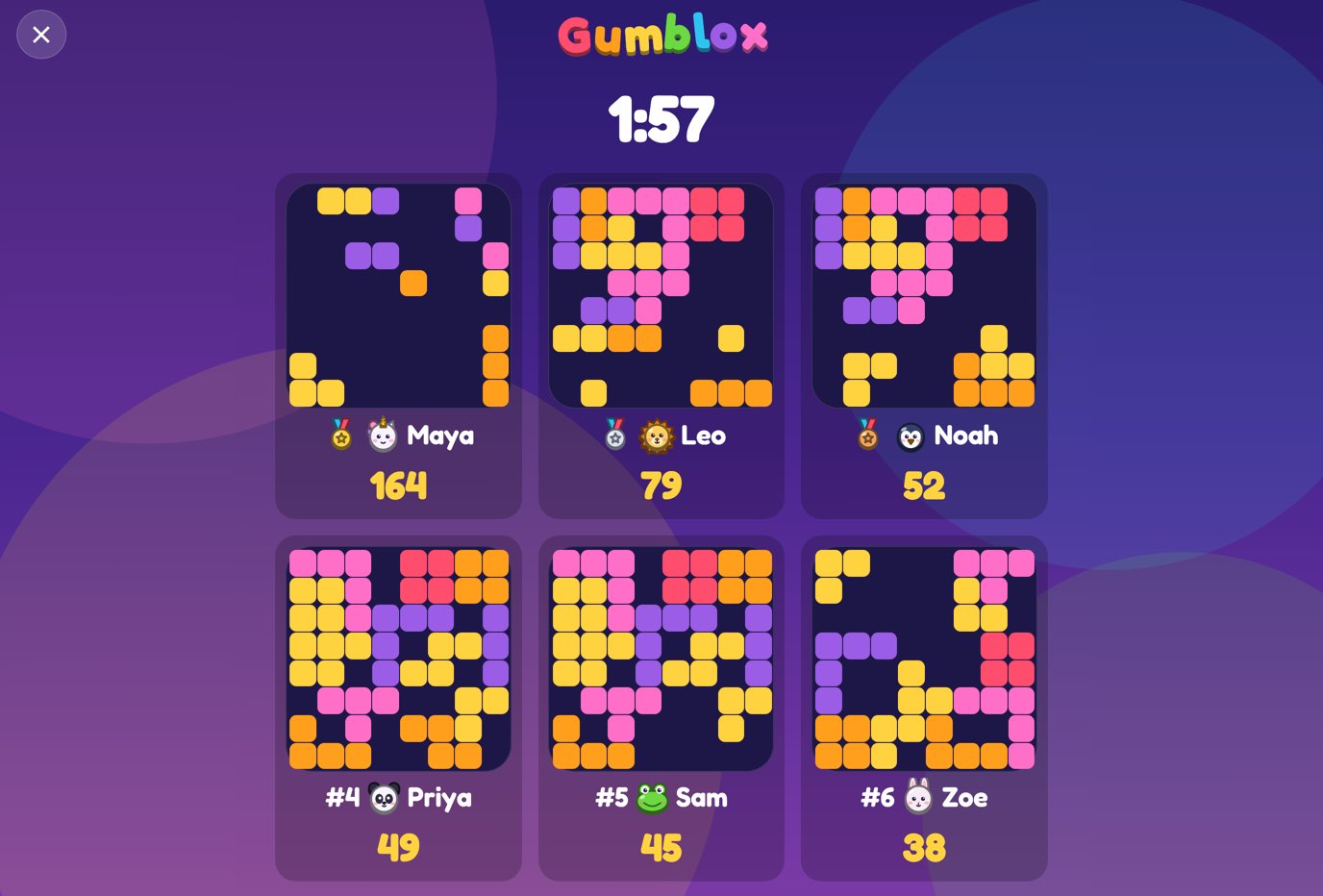
Party mode shows a Gumblox room on a TV or laptop. Everyone plays on their own phone with the same pieces, and the big screen shows the top 12 boards live, with the clock and the scores. It's free. The big screen is a web page: open it on a laptop, tablet or computer connected to the TV, or on any screen with a current web browser.
How to set it up
- On your phone, open gumblox.com, go to Play together and tap Make a room. You're the host, and the room code shows on the screen.
- On the big screen, open gumblox.com/tv/ followed by the room code, for example gumblox.com/tv/ABCD. If you made the room on a laptop, Show on a TV or laptop opens it in a new tab.
- Everyone else joins by scanning the QR code on the big screen, or by going to gumblox.com and entering the room code under Play together. They play in their phone's web browser, with nothing to install.
- The host picks a round of 1, 2 or 3 minutes and starts it from their phone.
- When the clock runs out, the big screen shows who won. The host can start the next round straight away.
What the big screen shows
Before a round, the QR code, the room code and everyone who has joined. During a round, the clock and the boards of the top 12 players as they fill and pop, as big as the screen allows, with names and scores. After it, the top three on a podium.
The big screen only watches. It doesn't take a place in the room or count as a player.
How a round works
Everyone gets the same pieces in the same order, so it comes down to who places them best. If none of your pieces fits, your board clears and you keep playing. The highest score when the clock runs out wins. Players can send emoji reactions; there is no chat.
For families and classrooms
A room has space for a whole class, and nobody needs an account or an email address. Every new player gets a random name they can change, and the big screen shows the names players pick. Kid-safe mode hides other players' names on a child's own device, and on the big screen too when it's turned on in Settings in that screen's browser.
More about rooms, the World match and ranked is in how to play.